Key settings
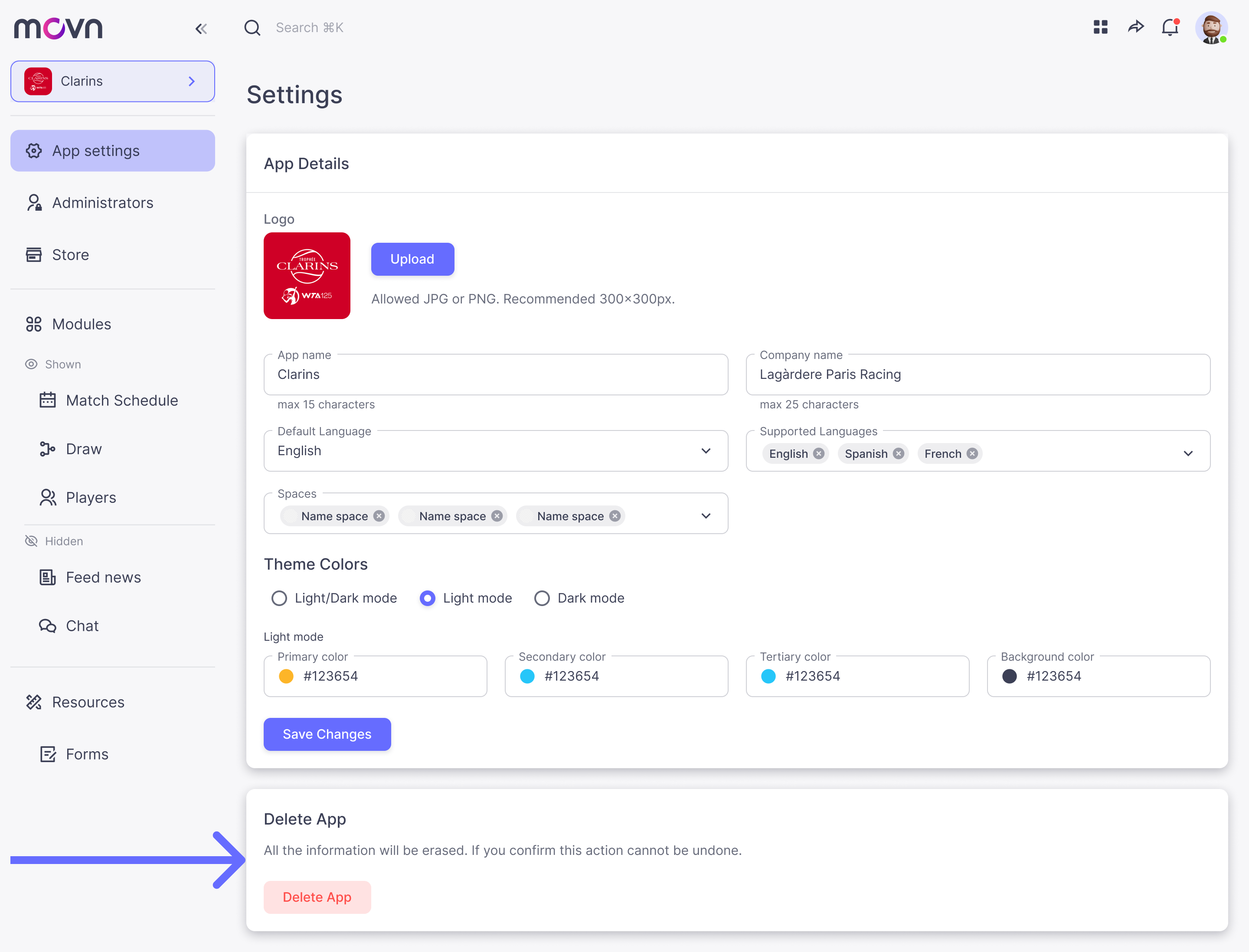
- Go to App Settings in the left menu.
- You can change the following information:
- Logo
- App name
- Company name
- Default Language
- Supported languages
- Theme colors. You can set the colors you want for your app. Set if your app has only light, dark or both themes available.
Delete an App
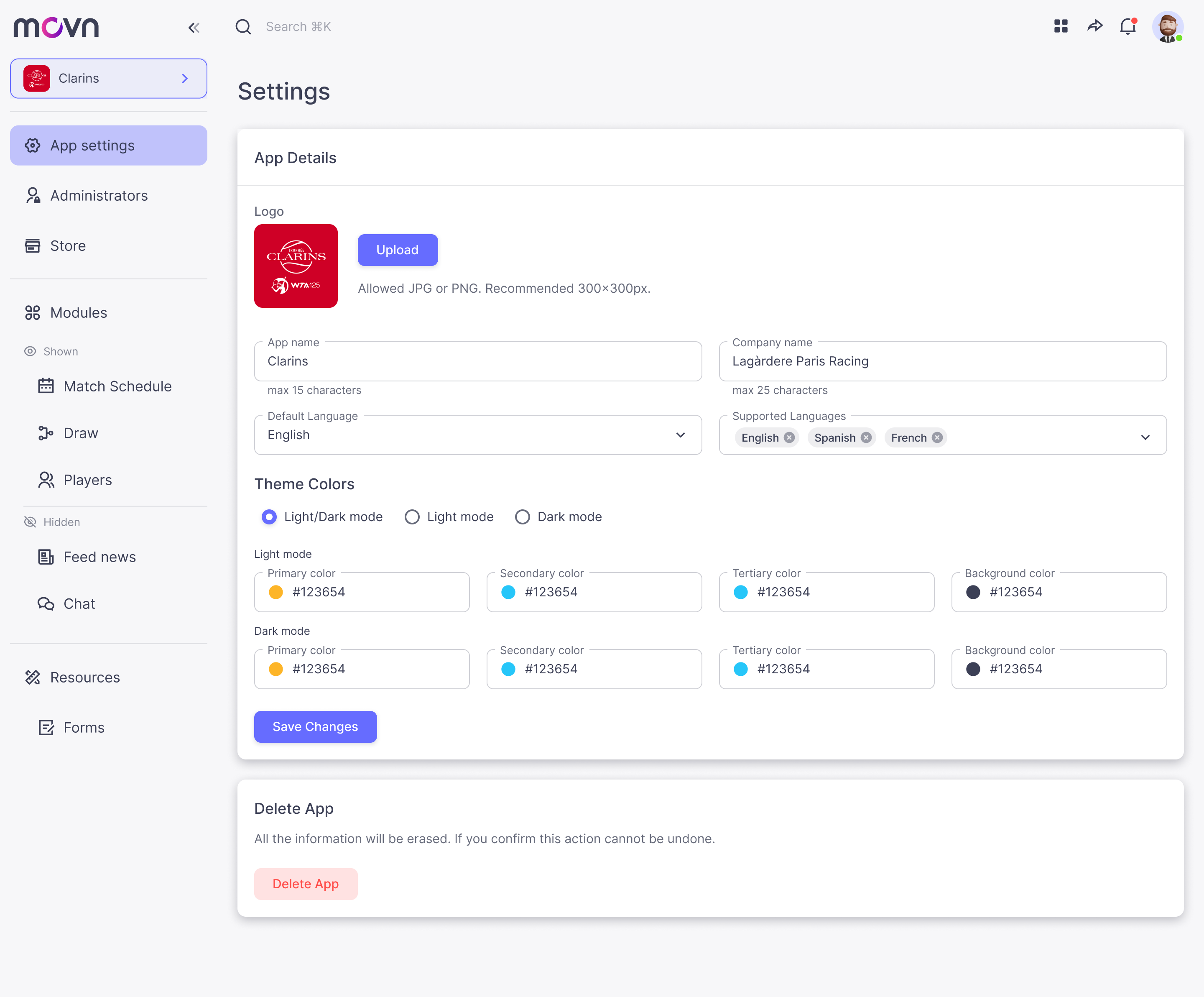
- Go to App Settings.
- Go down until you see the section Delete App.
- Click on Delete button.
Please note that once you delete the app, all the information will be erased. If you only want to hide the app from the Movn Store, please go to the Store section to change you app from public to private.