
1/ On the Home Screen, Tap the "Organize" button.
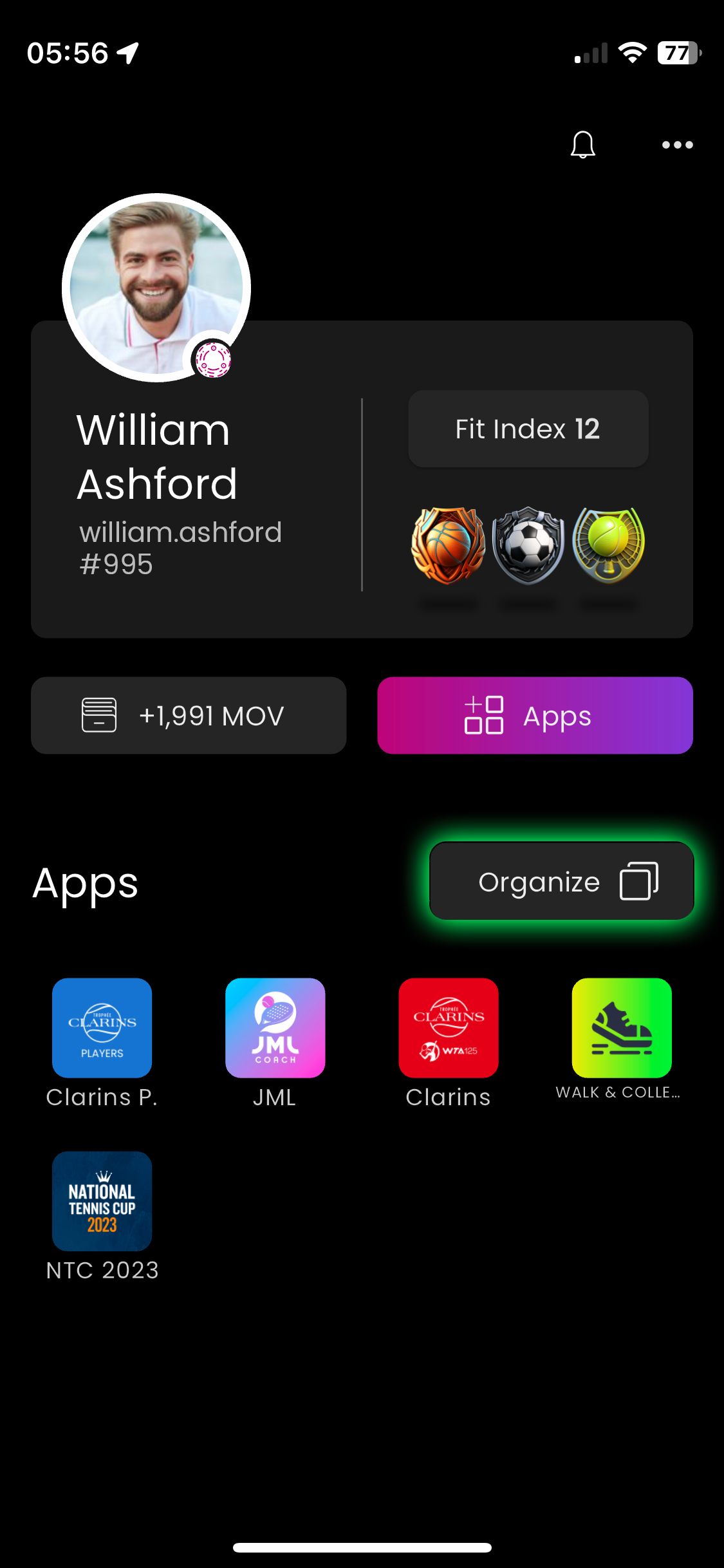
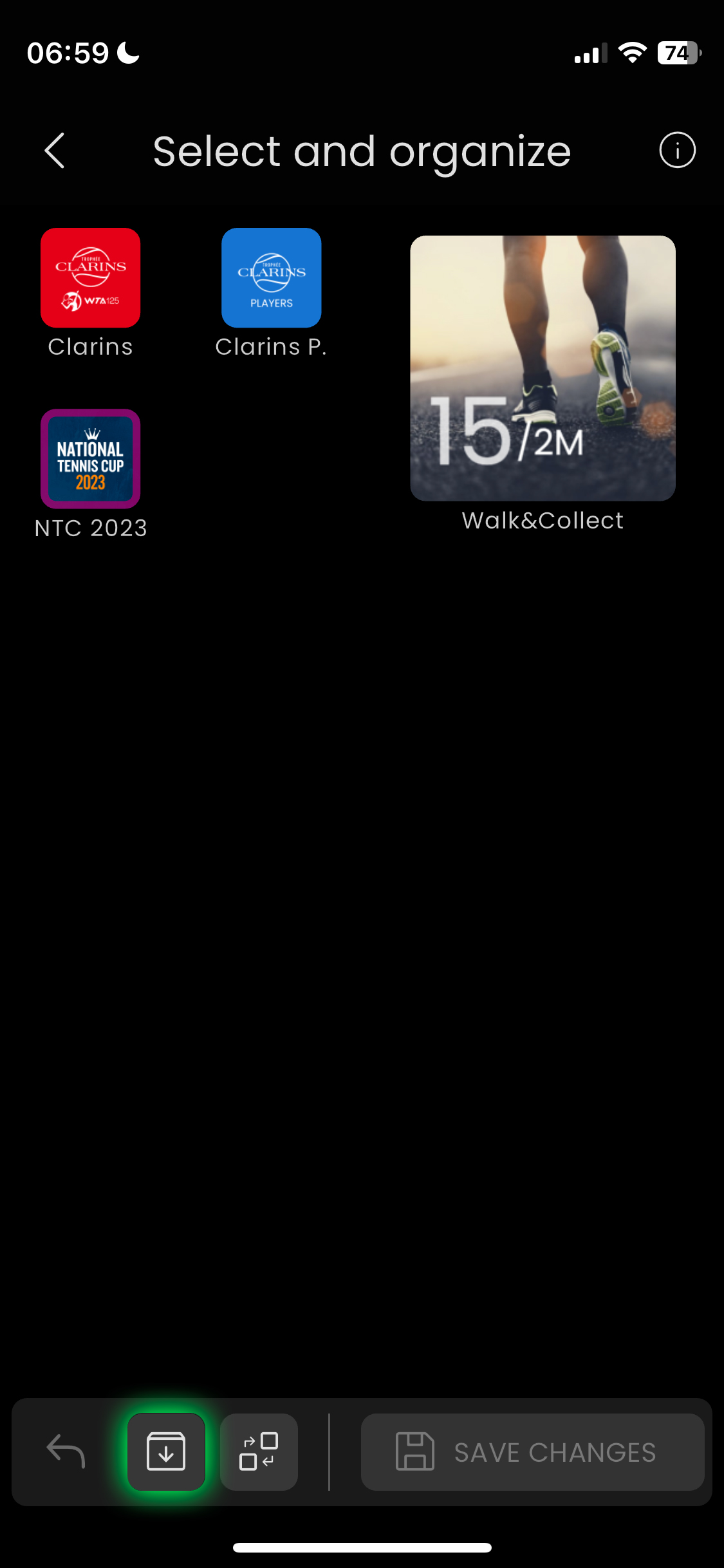
2/ Tap the app you want to uninstall. A pink border will appear around the selected icon or widget.
3/ At the bottom of the screen, Tap the icon with a downward arrow.
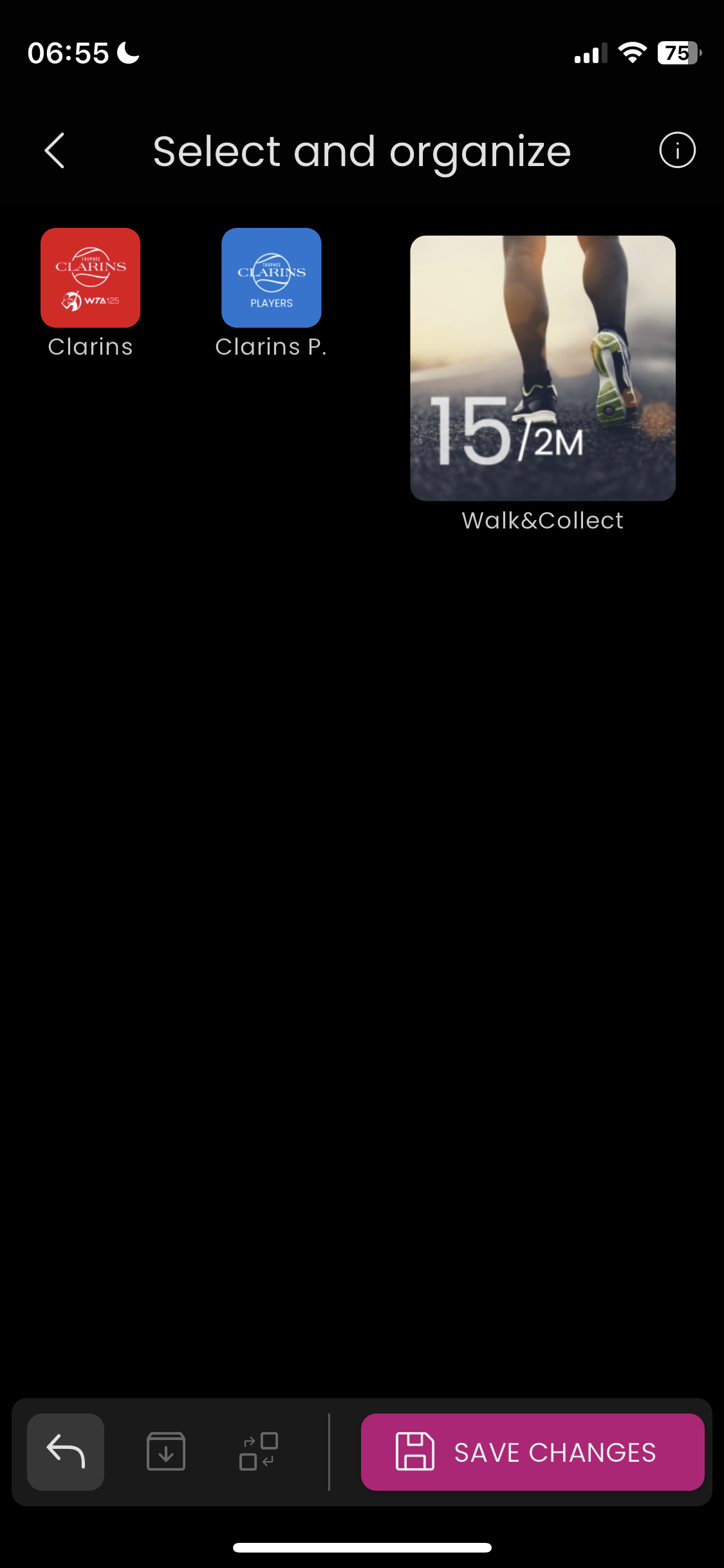
4/ Tap "Save Changes"
1/ On the Home Screen, Tap the "Organize" button. 2/ Tap the app you want to uninstall. A pink border will appear around the selected icon or widget. 3/ At the
1/ On the Home Screen, Tap the "Organize" button.
2/ Tap the app you want to uninstall. A pink border will appear around the selected icon or widget.
3/ At the bottom of the screen, Tap the icon with a downward arrow.
4/ Tap "Save Changes"